
In partnership with


Welcome to Your Tech Moments!
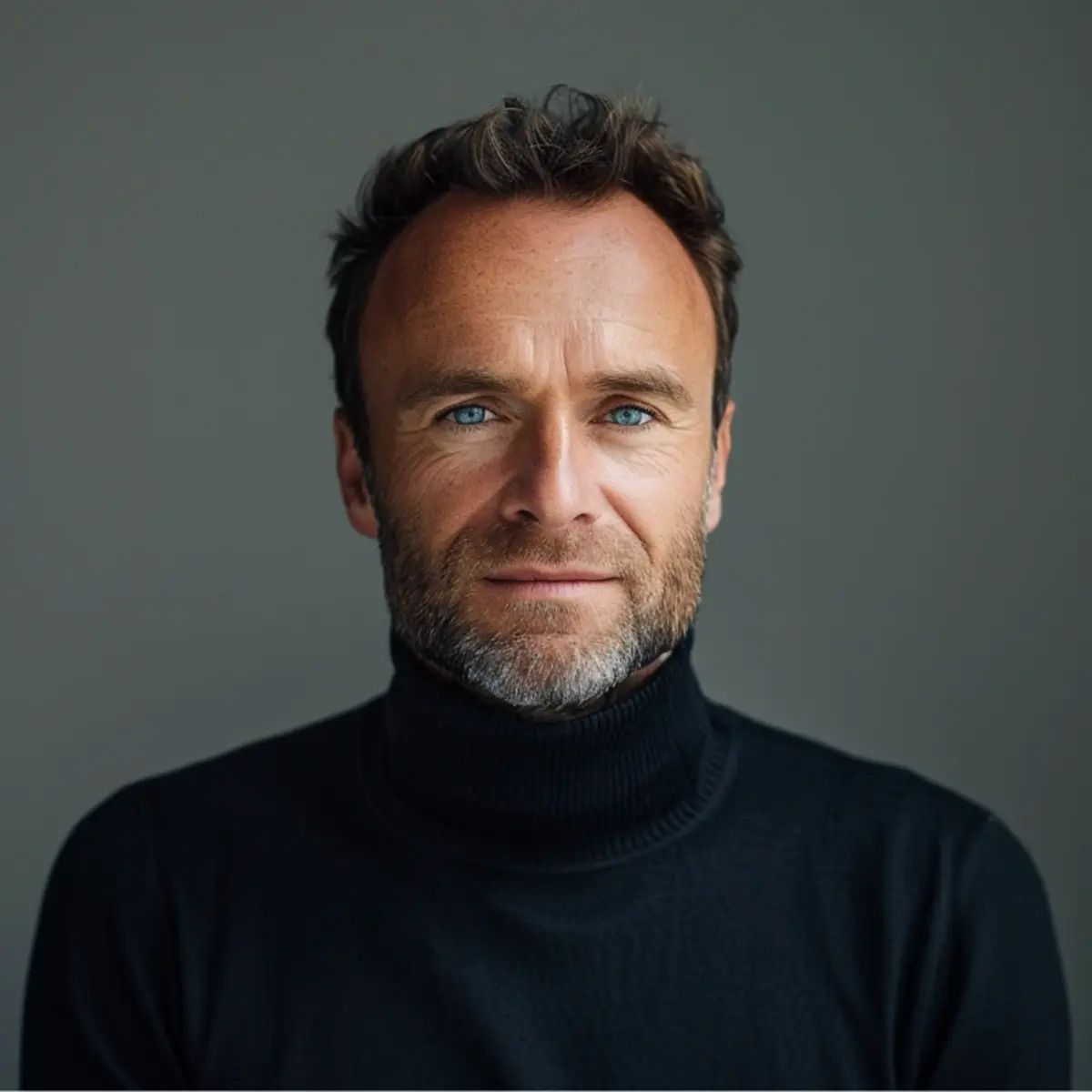
You're creating AI images that scream "fake" the moment someone sees them. Your Midjourney prompts produce obviously artificial results that get ignored on social media, while others are generating photorealistic masterpieces that go viral. The frustrating part? You're probably just missing a few key prompt engineering techniques that separate amateur results from professional-quality images.
Today, you'll discover the exact formulas and strategies that transform basic prompts into photorealistic gold.
Let’s brake it all down!
The 7-Step Formula for Photorealistic Midjourney Images That Fool Everyone
Why You Should Use Them

YOU'RE WASTING HOURS creating Midjourney prompts that produce painterly, artificial-looking images instead of the photorealistic content your social media needs. Every failed prompt costs you time, and worse—your audience scrolls past obviously AI-generated visuals.
Here's where most creators get stuck: They write prompts like artists instead of photographers. They pile on random descriptors hoping something works. They ignore the technical parameters that make images look real. The result? Content that screams "fake" and tanks your engagement rates.
This guide solves your photorealism problem with a proven step-by-step system used by professional prompt engineers. You'll learn the exact camera terminology, lighting descriptions, and Midjourney parameters that transform artificial outputs into scroll-stopping, share-worthy visuals. Plus, you'll get battle-tested formulas for portraits, landscapes, and lifestyle shots optimized for every social platform.
Stop guessing. Start creating photorealistic images that your audience believes are real photography.

World’s First Safe AI-Native Browser

AI should work for you, not the other way around. Yet most AI tools still make you do the work first—explaining context, rewriting prompts, and starting over again and again.
Norton Neo is different. It is the world’s first safe AI-native browser, built to understand what you’re doing as you browse, search, and work—so you don’t lose value to endless prompting. You can prompt Neo when you want, but you don’t have to over-explain—Neo already has the context.
Why Neo is different
Context-aware AI that reduces prompting
Privacy and security built into the browser
Configurable memory — you control what’s remembered
As AI gets more powerful, Neo is built to make it useful, trustworthy, and friction-light.
The Solution: Your Complete Blueprint for Creating Scroll-Stopping Photorealistic Images

YOU'RE about to master the exact system professional content creators use to generate photorealistic Midjourney images that stop social media scrollers in their tracks.
The Strategic Foundation: Think Like a Photographer, Not an Artist
Your first breakthrough comes from understanding this critical shift: Midjourney V7 responds to photography language, not artistic descriptions. When you prompt like you're briefing a professional photographer, you unlock the AI's photorealistic potential.
Start every prompt with these core elements:
Clear subject identification: "Portrait of elderly fisherman" beats "old man by water"
Scene composition: Use cinematographic terms like "establishing shot," "glamor shot," or "close-up"
Specific atmosphere: "Golden hour light" instead of "nice lighting"
Step 1: Build Your Photorealistic Foundation
Begin with this proven formula:
[Subject description] + [Photography technique] + [Lighting/mood] + [Camera specifications] + [Midjourney parameters]
Your subject description should be laser-focused. Instead of "person in nature," write "portrait of a young woman hiking through autumn forest." Specificity drives realism.
Layer in photography techniques immediately: Terms like "shallow depth of field," "bokeh," "film grain," and "high-speed photograph" signal to Midjourney that you want photographic realism, not digital art.
Step 2: Master the Technical Photography Elements
Camera specifications transform your images from digital art to photography:
Lens effects: "f/1.8 lens" creates beautiful background blur
Film types: "Kodak Portra 400" adds authentic film texture
Shooting styles: "Polaroid," "35mm film," "professional headshot"
Lighting makes or breaks photorealism:
"Golden hour sunset" for warm, flattering light
"Soft natural light" for even, professional illumination
"Dramatic up light" for bold, attention-grabbing effects
"Cinematic haze" for atmospheric depth
Step 3: Optimize Your Midjourney Parameters for Social Media Success
Your parameter choices determine social media compatibility:
Aspect ratios:
--ar 16:9for Facebook/YouTube covers,--ar 4:3for Instagram posts,--ar 2:3for Instagram storiesVersion control:
--v 7delivers the most advanced photorealismQuality boost:
--q 2increases detail and refinementUpscaling:
--up lightmaintains photorealistic quality during enlargement
Step 4: The Iteration Strategy That Guarantees Results
Your first attempt is your starting point, not your destination. Professional content creators use Midjourney's refinement tools strategically:
Generate your initial batch with a concise, photography-focused prompt
Use "U" commands to upscale the most promising images
Apply "V" variations to explore different angles of successful compositions
Remix with targeted adjustments - add specific lighting or camera effects to winning formulas
Keep your prompts concise. Short, precise phrases consistently outperform lengthy descriptions. "Gigantic mountain peak" works better than "very large, imposing, massive mountain."
Step 5: Social Media Optimization Secrets
Your images need to perform on social platforms, not just look realistic.
Prioritize high-contrast, vibrant visuals that stand out in crowded feeds. Add keywords like "light and optimistic" to ensure your images convey positive energy that encourages engagement.
Essential photorealism keywords to include:
"Photorealistic"
"Ultra-realistic"
"Realistic photography"
"Professional photograph"
Avoid painterly triggers like "artistic," "stylized," or "illustration" that pull Midjourney away from photographic realism.
Proven Prompt Templates for Maximum Impact
Portrait Template:
Portrait of [specific person description], f/1.8 shallow depth of field, golden hour light, bokeh, photorealistic --ar 2:3 --v 7 --q 2
Lifestyle Scene Template:
Realistic photography of [scene description] at [time/location], [specific lighting], cinematic haze, film grain --ar 16:9 --v 7
Product/Object Template:
Professional photograph of [object], studio lighting, white background, ultra-realistic, commercial photography --ar 4:3 --v 7 --q 2
Advanced Techniques for Consistent Results
Use image references for brand consistency. Prefix your prompt with an image URL to influence style while maintaining photorealism. This technique ensures your social media content maintains visual cohesion.
Test difficult subjects first. Complex scenes like detailed landscapes or intricate portraits reveal whether your prompt formula works. If you can generate realistic skin textures and natural reflections, simpler subjects will be effortless.
Leverage the remix feature strategically. When you achieve 80% of your desired result, use remix to make targeted improvements rather than starting over.
Your Content Creation Acceleration System
Want to transform these photorealistic images into a complete content strategy? The principles you're learning here extend far beyond single image creation. "The Threads Content Growth Engine (Powered by ChatGPT)" shows you how to build an entire month of engaging social media content without the guesswork. You'll discover how to combine your new Midjourney skills with systematic content planning that keeps your audience engaged day after day. Get your complete content system here and never wonder what to post next.
Your photorealistic Midjourney images become exponentially more valuable when they're part of a strategic content plan that builds your audience consistently.
Start with these proven formulas today, and watch your social media engagement transform as your followers stop scrolling and start engaging with your stunning, photorealistic content.

How It Should Look - Template
You're about to transform your scattered Midjourney ideas into precise, professional prompts that generate exactly what you envision. This template eliminates the guesswork and trial-and-error frustration that wastes your time and credits. Simply fill in each section to create prompts that consistently deliver stunning, on-brand visuals.
MIDJOURNEY PROMPT ENGINEERING TEMPLATE
SUBJECT: [Main focus - person, object, scene, concept]
ACTION/POSE: [What the subject is doing - sitting, running, looking, holding]
SETTING/ENVIRONMENT: [Where this takes place - studio, forest, cityscape, abstract space]
LIGHTING: [Mood and quality - golden hour, dramatic shadows, soft natural light, neon glow]
CAMERA ANGLE: [Perspective - close-up, wide shot, bird's eye view, low angle]
STYLE REFERENCE: [Artistic influence - photography style, art movement, specific artist, brand aesthetic]
COLOR PALETTE: [Dominant colors - warm tones, monochromatic blue, vibrant contrasts, muted pastels]
TECHNICAL SPECS: [Image quality - ultra-detailed, 8K resolution, professional photography, cinematic]
MOOD/EMOTION: [Feeling to convey - energetic, serene, mysterious, confident, playful]
EXCLUDE: [What to avoid - using --no parameter for unwanted elements]
ASPECT RATIO: [Format - --ar 16:9 for landscape, --ar 9:16 for portrait, --ar 1:1 for square]
STYLIZE VALUE: [Creativity level - --s 100 for realistic, --s 750 for artistic interpretation]
Conclusion
You now have the exact prompt structure that transforms vague AI outputs into stunning, professional visuals. The difference between "draw a cat" and "photorealistic tabby cat, golden hour lighting, shallow depth of field, Canon 85mm" isn't just technical knowledge—it's the gap between amateur and expert results. Start with one project today. Pick something you've been visualizing but couldn't quite capture, apply these prompt engineering techniques, and watch Midjourney deliver exactly what you envisioned.
Your creative ideas deserve precision, and now you have the tools to demand it from AI.
🙏 Thanks for reading till the end — you’re the reason this newsletter exists.
Got a thought or idea? Hit reply — I read every message.
⭐⭐⭐⭐⭐ Your feedback helps make each issue sharper.
Not subscribed yet? Join here & share it with someone who’d enjoy it too.
See you in our next edition!
Adrian
